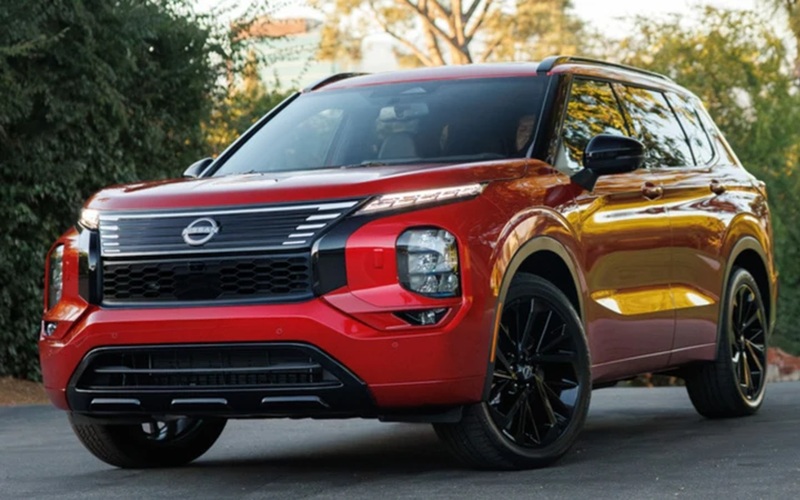
Why Does a Nissan Kicks Collision Light Come On in the Rain?
Heavy rain can limit the visibility of the sensors or camera used by the forward collision system, causing the front collision warning light to come on in a Nissan Kicks. This can happen temporarily when rain, water spray, road slush, or dirt interferes with the system’s ability to monitor the road ahead. Many Nissan Kicks […]
Heavy rain can limit the visibility of the sensors or camera used by the forward collision system, causing the front collision warning light to come on in a Nissan Kicks. This can happen temporarily when rain, water spray, road slush, or dirt interferes with the system’s ability to monitor the road ahead.

Many Nissan Kicks drivers in Canada notice this warning during strong rainstorms, wet highway driving, or winter conditions with heavy road spray. In most cases, the light turns off once visibility improves or the sensor area becomes clear again.
This article explains why the front collision light may appear in heavy rain, how the system works, what conditions can trigger the warning, and what drivers should check.
How the Front Collision System Works in a Nissan Kicks
The Nissan Kicks sold in Canada can include safety technologies such as Intelligent Forward Collision Warning and Automatic Emergency Braking, depending on the model year and trim level.
These systems rely on components such as:
- A forward-facing camera near the windshield
- Radar or sensor equipment mounted at the front of the vehicle
- Software that monitors traffic ahead
The system continuously monitors the distance and speed of vehicles ahead of the Nissan Kicks. If it detects a possible collision risk, it may:
- Illuminate a warning light
- Display a message on the dashboard
- Sound an alert
- Prepare or apply braking assistance in certain situations
For the system to operate correctly, the camera and sensors need a relatively clear view of the road.
Why Heavy Rain Can Trigger the Front Collision Light
During heavy rain, water can partially block or distort what the camera or radar detects. When the system cannot reliably monitor the road ahead, the Nissan Kicks may temporarily disable some driver-assistance functions and illuminate the front collision warning indicator.
This is typically a protective response rather than a sign of a malfunction.
The warning may appear because of:
- Heavy rainfall reducing camera visibility
- Water droplets covering the sensor area
- Dense road spray from other vehicles
- Snow, slush, or mud accumulation
- Condensation on the windshield near the camera
- Low visibility conditions during storms
In Canada, this can happen more often during:
- Spring rainstorms
- Wet highway driving
- Snowy or slushy winter conditions
- Freeze-thaw periods with dirty road spray
Once conditions improve, the system often resumes normal operation automatically.
What the Warning Light Usually Means
In many cases, the front collision light on a Nissan Kicks does not indicate a fault. Instead, it indicates that the system’s view is temporarily limited.
Drivers may notice:
- A warning icon on the instrument cluster
- A message saying the front sensor is blocked or unavailable
- Temporary deactivation of collision-related features
This can happen for only a few minutes during severe weather.
If the warning disappears after the rain stops or after the vehicle is cleaned, the system is generally operating as intended.
Areas That May Need to Stay Clear
The front collision system depends on clean sensor surfaces.
Depending on the Nissan Kicks model year, important areas may include:
- The upper windshield area in front of the camera
- The front grille area
- The Nissan emblem area if radar equipment is integrated there
Heavy rain itself can reduce visibility, but buildup from dirt, salt, slush, or ice can make the warning appear more frequently.
Simple Checks Drivers Can Make
If the front collision light comes on during rain, there are a few basic things drivers can safely check.
1. Inspect the Windshield
Look at the area near the rearview mirror where the forward camera is mounted.
Check for:
- Water buildup
- Fogging or condensation
- Dirt or ice
- Streaks from worn wiper blades
A clearer windshield can help the camera operate normally.
2. Check the Front Sensor Area
Inspect the front grille or emblem area for:
- Packed snow
- Mud
- Road salt
- Ice accumulation
Even partial blockage may reduce sensor performance.
3. Observe Weather Conditions
Heavy rain, dense fog, blowing snow, or strong road spray can temporarily reduce system accuracy.
If the warning appears only during severe weather and disappears afterward, it usually indicates environmental interference rather than a permanent issue.
4. Restart the Vehicle Later
The system may automatically reset after you turn the vehicle off and restart it once conditions improve.
What Is Normal?
Severe weather can trigger temporary warnings in many modern driver-assistance systems during normal operation.
A Nissan Kicks may briefly disable front collision features when:
- Visibility is heavily reduced
- Sensors cannot accurately detect vehicles ahead
- Camera images are obstructed
This prevents unreliable readings.
Drivers may notice the system returns to normal after:
- Rain intensity decreases
- The windshield dries
- Remove snow or slush
- Clean the vehicle
When Additional Attention May Be Needed
Although weather conditions can temporarily trigger warnings, certain situations warrant a vehicle inspection.
It may be worth having the Nissan Kicks checked if:
- The warning stays on continuously in clear weather
- The light appears every time you drive the vehicle
- Multiple driver-assistance warnings appear together
- The system stops functioning entirely
- There was recent front-end damage or windshield replacement
Camera alignment and sensor positioning are important for these systems. If components are moved or damaged, recalibration may sometimes be required.
Can Heavy Rain Disable Automatic Emergency Braking?
In some conditions, yes. If the Nissan Kicks determines that the camera or sensor visibility is too limited, certain collision-assistance functions may become temporarily unavailable.
The vehicle may display:
- A system unavailable message
- A front sensor blocked warning
- A collision warning indicator
Once visibility improves, these functions usually return automatically.
Drivers should continue to operate the vehicle normally and exercise additional caution during severe weather conditions.
Does This Happen More on Highways?
Some drivers notice the warning more frequently at highway speeds during rain.
This can happen because:
- Water spray from surrounding vehicles is heavier
- Road mist accumulates quickly on the front of the vehicle
- Rain impacts the windshield more intensely at higher speeds
Long-distance highway driving during storms can create conditions where the camera or radar temporarily loses a clear view.
Stay Safe in Your Nissan Kicks
If the front collision light comes on in heavy rain on a Nissan Kicks, the system is often responding to limited visibility affecting the camera or front sensors. Rain, slush, road spray, dirt, or ice can temporarily interfere with the forward collision system’s ability to monitor traffic accurately.
In many cases, the warning disappears once weather conditions improve or the sensor areas are cleared. Checking the windshield, the front grille area, and overall visibility can help drivers understand why the alert appeared.
If the warning remains active even in clear weather, or if multiple safety-system alerts appear together, the vehicle may need further inspection to confirm the sensors and camera are functioning correctly.
Disclaimer: Content contained in this post is for informational purposes only and may include features and options from US or internacional models. Please contact the dealership for more information or to confirm vehicle, feature availability.